Maestro test runs
Set up
Install the Maestro CLI first. MoTA uses ~/.maestro/bin/maestro, the maestro command on PATH, or mota.maestroPath.
Put your Maestro flows in .maestro/ (or set mota.maestroFlowsFolder). MoTA lists the top-level flows, or the ones matched by flows: in config.yaml, with their tags.
Run
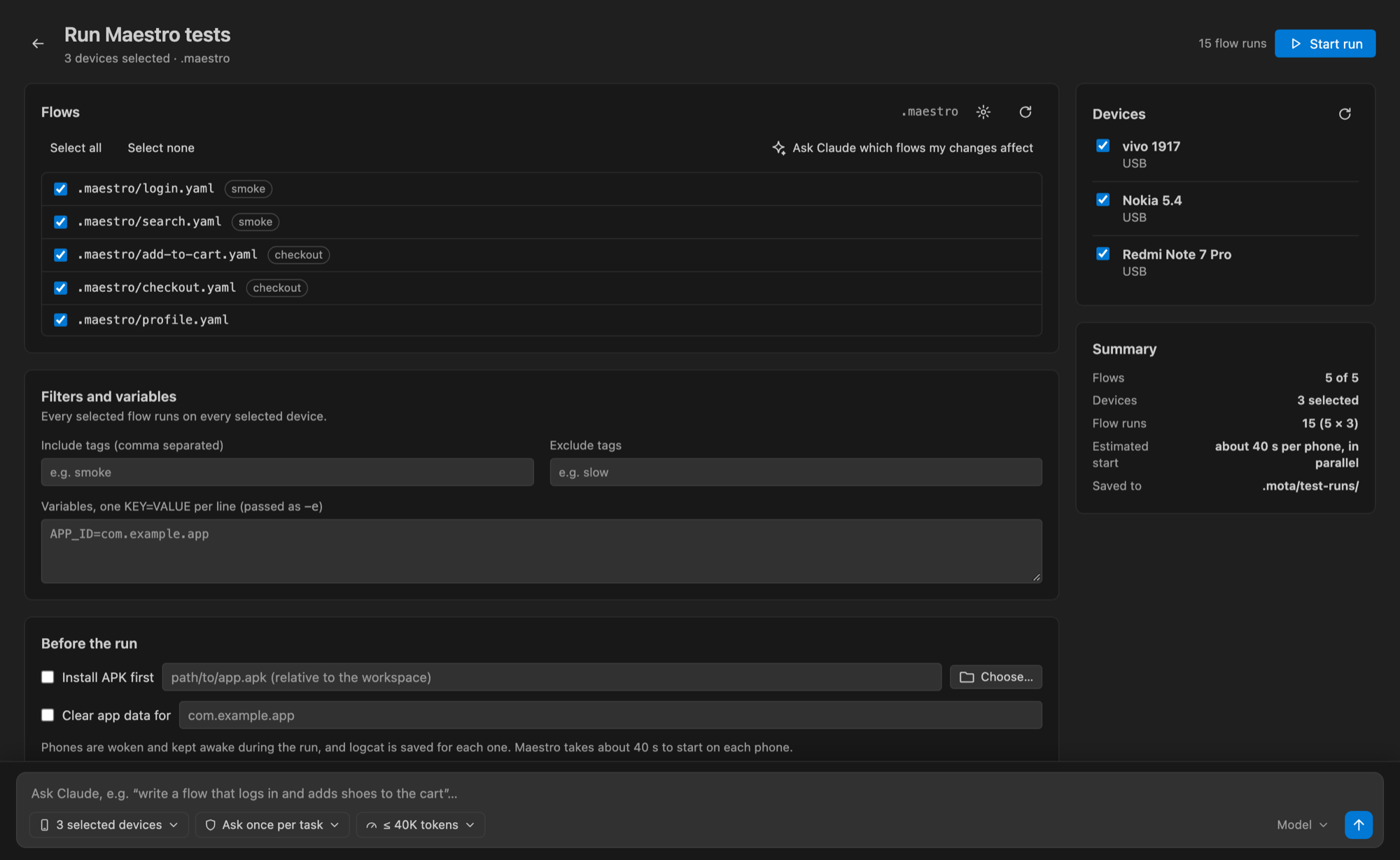
Select devices and flows and run them: every selected flow runs on every selected device.
- Each device gets one Maestro process, which takes about 40 seconds to start before the first flow.
- Progress comes from Maestro's output, and the final result for each flow comes from its JUnit report.
- Failures show the failed step, its error and a screenshot.
- A device that disconnects is marked as lost, and its remaining flows are marked as not run.
- Cancel stops the whole Maestro process tree.
Results
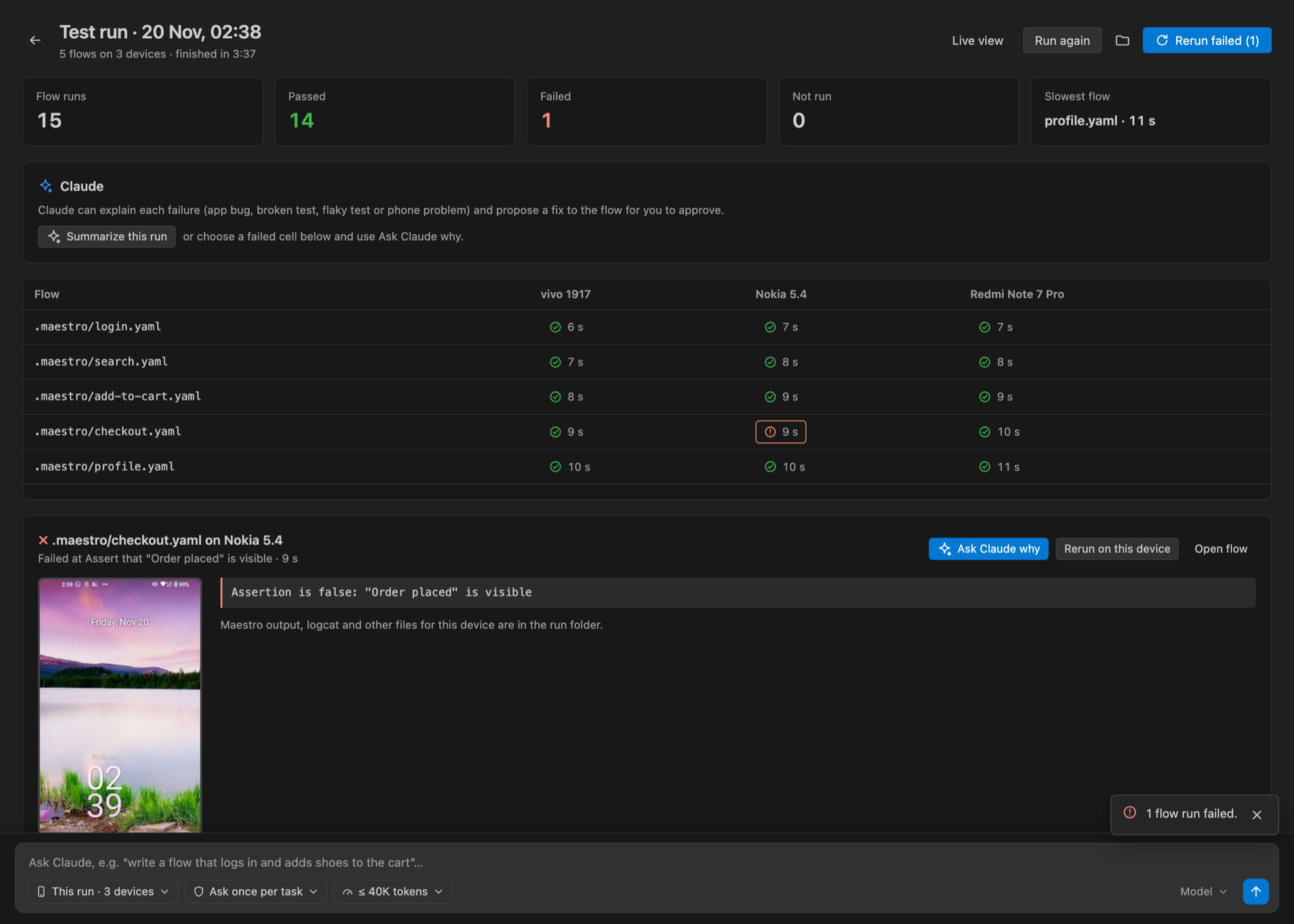
Runs are saved in .mota/test-runs/<run>/<device>/:
| File | Contents |
|---|---|
report.xml |
JUnit report |
maestro-console.log |
Maestro's console output |
results.json |
MoTA's per-flow results |
artifacts/ |
Screenshots, screen hierarchy, device log and commands.json |
After each run, MoTA stops Maestro's driver app on the phone so that MoTA's own UI tools can use UI automation again.