MoTA Android

MoTA is a desktop VS Code extension for Android and React Native projects. It turns the phones connected to your computer into a small device farm: pair them, install builds, watch logs and performance, record and replay input, run Maestro tests across devices, and let Claude (or any MCP-capable agent) drive them.
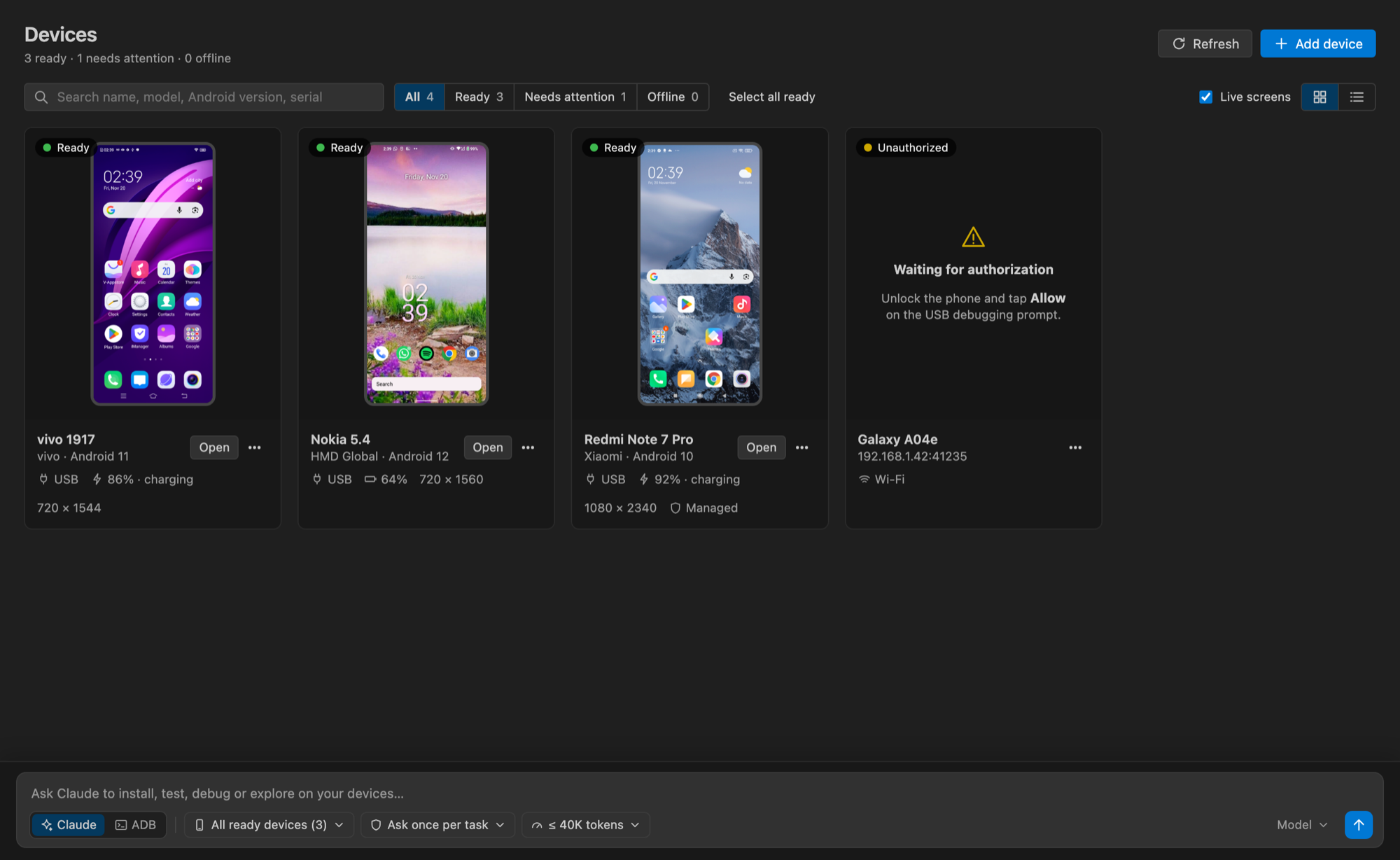
-
QR pairing through Android wireless debugging, plus USB and emulators.
-
Install one APK on many devices at once, with guided recovery when it fails.
-
Run every selected flow on every selected device and see why failures happened.
-
Ask Claude to explore the app, diagnose failures or write flows, using your local Claude Code.
Features
- QR pairing through Android wireless debugging (Android 11+).
- USB, wireless and emulator devices in an Explorer sidebar.
- Workspace APK discovery, including
android/app/build/outputs/apk. - Install an APK on multiple selected devices concurrently.
- Separate logcat output channels per device, with tag/priority filters.
- Live multi-device battery, Android version, model, memory and CPU reports.
- Optional package-specific memory and cumulative frame rendering diagnostics.
- Device control page with screenshots, screen video, deep links, input and file transfer.
- Input recording and replay through the MoTA helper app.
- Maestro test runs across devices with JUnit-backed results.
- A Claude assistant, and an MCP server so other agents can use the same tools.
Requirements
- Desktop VS Code 1.95 or newer, in a trusted workspace. Browser-only VS Code is not supported.
- Android SDK Platform Tools (
adb). - Optional: the Maestro CLI for test runs, and Claude Code for the assistant.
Next: Getting started.