Device control page
Click a ready device in the Devices list, or run MoTA: Device Controls. The page groups Capture, Apps & deep links, Input, Diagnostics, and ADB & files.
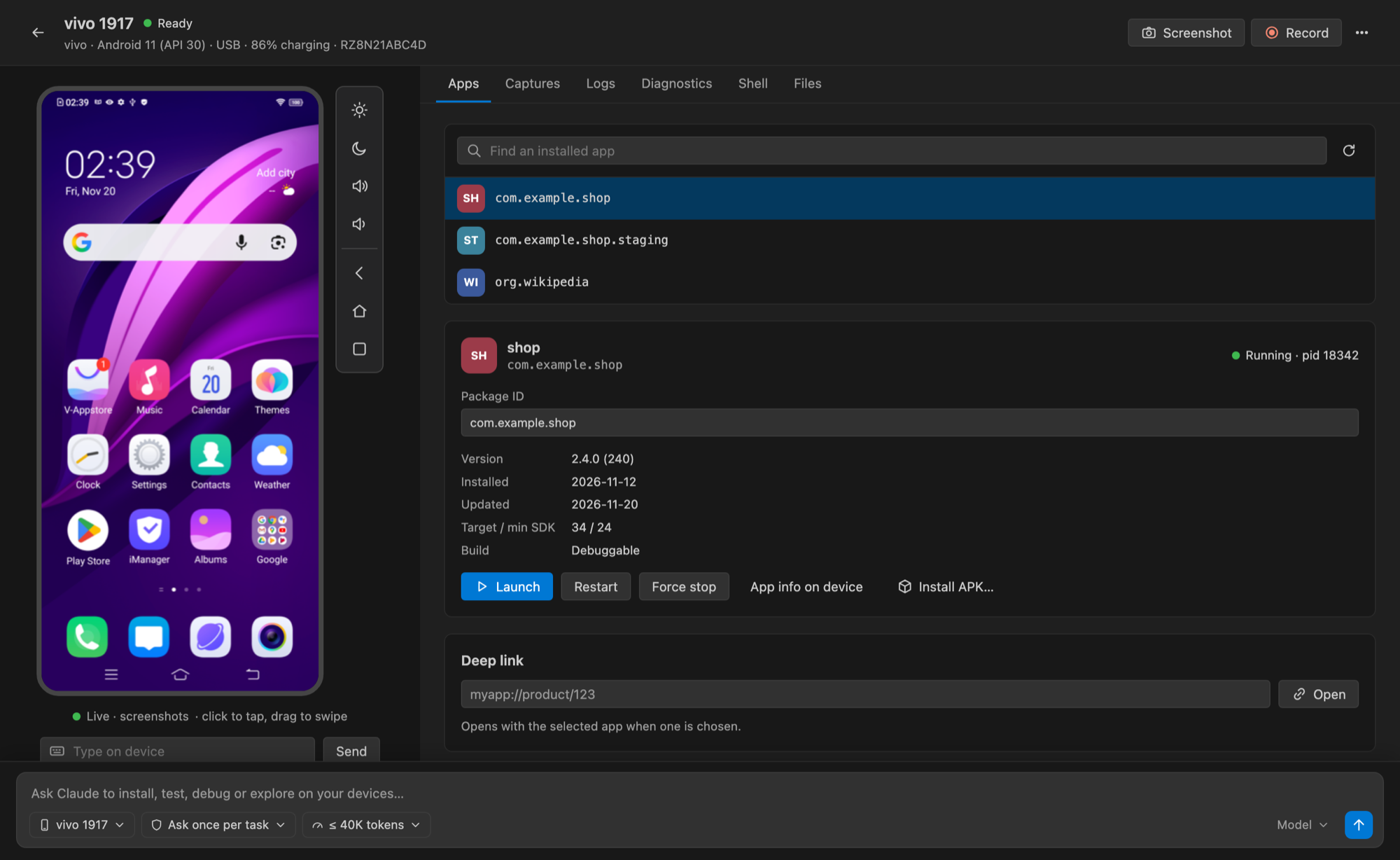
Live view
The live view streams the device screen. By default it uses scrcpy; set mota.liveEngine to screenrecord to fall back to Android's built-in recorder.
Capture
- Capture screenshots without a helper, copy them as PNG images, or save them.
- Screen recording uses helper 0.2.2 and Android capture consent; capture can pause/resume into one MP4.
- Finished videos have playback/pause, seeking, PNG frame copy and frame save controls.
Copy works through the webview image clipboard with a native desktop fallback; Linux fallback needs wl-copy or xclip. Remote hosts may require saving an image for local copying.
Apps, input and files
- Deep links accept an optional package and preserve URI query parameters.
- App controls support launch, force stop, install, clear data and uninstall; destructive presets ask for confirmation.
- Device inputs include navigation, volume, wake/sleep, taps, swipes and basic text.
- Diagnostics reuse logcat and live stats.
- File actions push/pull a chosen file.
- The advanced runner accepts Android shell commands or device-scoped ADB arguments; it always fixes the selected serial and never invokes a host shell. An interactive device shell is available for long-running work.
Notes
Video capture is separate from input record/replay. The page owns only the screen capture it started and cancels it when closed. Captures stay in extension storage until explicitly saved elsewhere. Protected screens can block capture; H.264 playback depends on the VS Code build. If frame copying is attempted while seeking, wait for the seek to finish first.